

Apple Launches Apple Upgrade
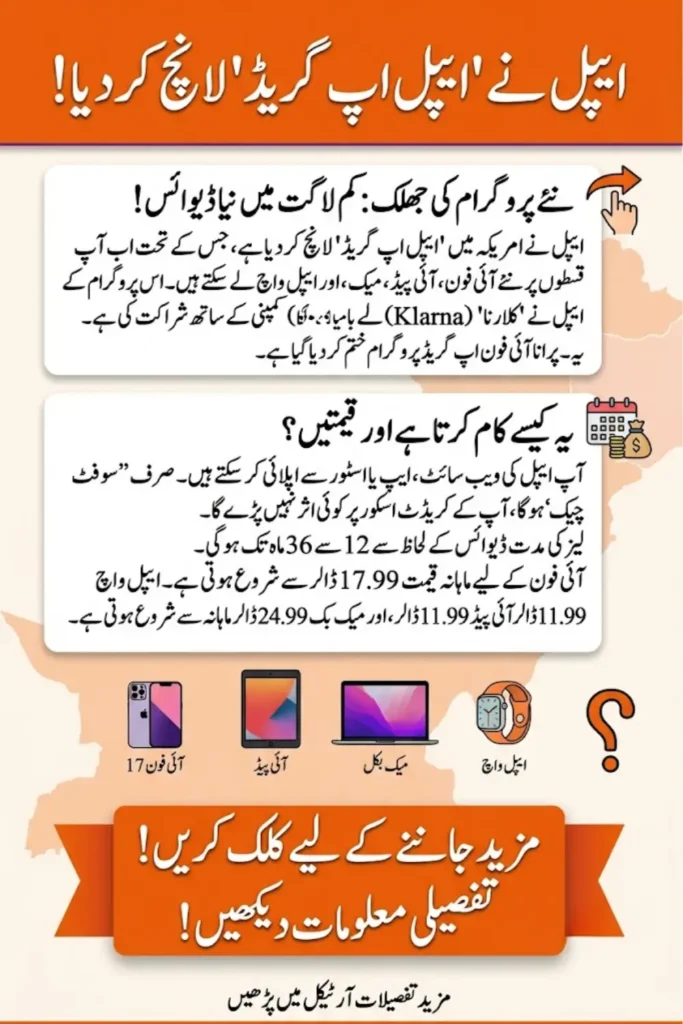
Apple just changed the way millions of Americans will buy their next iPhone, iPad, Mac, or Apple Watch. On July 28, 2026, the company launched Apple Upgrade, a brand-new device leasing program built in partnership with the buy-now-pay-later company Klarna. It replaces the older iPhone Upgrade Program, which many loyal Apple customers had used for years to get a new iPhone every 12 months.
If you’re someone who likes to upgrade often, or you simply want a lower monthly cost instead of paying full price upfront, this new program is worth understanding before you walk into an Apple Store or open the Apple Store app. Below, we break down exactly how Apple Upgrade works, what it costs, and whether it makes sense for you.
01 · Choose a category
02 · Choose a device
03 · Choose a lease term
04 · Estimated trade-in credit
Illustrative only. Actual trade-in value is confirmed by Apple at checkout.
Lease Summary
At end of term, you can
- Upgrade to the newest model
- Buy the device with one payment
- Return the device and exit
Estimate for informational purposes only. Approval requires a soft credit check that does not affect your credit score. Confirm final pricing at apple.com.
Reference · Starting Monthly Prices
| Category | Device | From / mo | Terms Available |
|---|
What Is Apple Upgrade?
Apple Upgrade is a leasing program, not a traditional installment plan. That distinction matters. With a lease, you don’t automatically own the device at the end of the term. Instead, you’re renting it for a fixed period, after which you get to decide what happens next. Apple is offering this option for its most popular device categories: iPhone, iPad, Mac, and Apple Watch.
The program is powered by Klarna, a well-known financial technology company that many shoppers already recognize from checkout pages at other retailers. Apple is handling the customer experience, but Klarna is the actual lender behind the scenes. This is a notable shift, since Apple previously ran its iPhone financing programs in-house or through Citizens Bank. Now, with the memory chip shortage pushing hardware prices upward across the industry, Apple appears to be using this program to keep monthly costs looking more manageable for everyday buyers.
Vivo T5e Official: 90Hz Display, 5,500mAh Battery, and Rugged Design
How Does Apple Upgrade Work?
Signing up is designed to be quick. You apply directly through the Apple Store online, the Apple Store app, or in person at a physical Apple Store location in the United States. Apple says most applicants get a decision within minutes, and the approval process only involves a soft credit check, meaning your credit score won’t take a hit just for applying.
Once approved, you pick your device and a lease length. iPhone and Apple Watch buyers can choose a 12-month or 24-month term, while iPad and Mac buyers get 24-month or 36-month options. There’s no security deposit required. Payments and lease details are managed through the Klarna app, where you can track your billing schedule and see exactly how many payments remain. If you have an older device to hand over, trading it in through Apple Trade In can lower your monthly payment even further.
Apple Upgrade Pricing by Device
Here’s a quick look at the starting monthly prices Apple has listed for each product line:
| Device Category | Starting Price/Month | Lease Term Options |
|---|---|---|
| iPhone 17e | $17.99 | 12 or 24 months |
| iPhone 17 | $22.99 | 12 or 24 months |
| iPhone Air | $28.99 | 12 or 24 months |
| iPhone 17 Pro | $31.99 | 12 or 24 months |
| Apple Watch Series 11 | $11.99 | 12 or 24 months |
| Apple Watch Ultra 3 | $24.99 | 12 or 24 months |
| iPad mini | $11.99 | 24 or 36 months |
| iPad Air | $15.99 | 24 or 36 months |
| iPad Pro | $24.99 | 24 or 36 months |
| MacBook Air | $24.99 | 24 or 36 months |
| MacBook Pro | $38.99 | 24 or 36 months |
Keep in mind these are starting prices for base configurations. Choosing more storage, a bigger screen size, or premium finishes will raise the monthly cost. It’s also worth noting that older models, including the iPhone 16, are not part of this leasing program, so not every device in Apple’s lineup qualifies.
What Happens When Your Lease Ends?
This is where Apple Upgrade really differs from simply financing a purchase. When your lease term is up, you’re not stuck with a device you have to keep paying off. Apple gives you three clear paths forward, and the choice is entirely yours.
- Upgrade to a newer model – Return your current device and start a fresh lease on the latest generation, keeping your monthly payment going without a big lump sum.
- Buy the device outright – Make a one-time payment to keep the device you’ve been leasing, ending your relationship with the monthly plan.
- Return the device – Hand it back to Apple and walk away from the program with no further payments owed.
This flexibility is likely the biggest selling point for people who like having the newest iPhone every year or two but don’t want to commit to owning older hardware long-term.
AppleCare and Payment Perks
Apple Upgrade also lets you bundle in protection for your leased device. Customers can add an AppleCare plan on top of their lease, which covers accidental damage, battery service, and other repairs. This is optional and comes at an additional cost, but it can offer peace of mind, especially since you may not want to deal with repair costs on a device you don’t fully own yet.
There’s also a small reward built in for loyal Apple Card users. If you make your monthly lease payments using an Apple Card, you can earn 3% Daily Cash back on those payments. It’s a nice bonus if you’re already using Apple’s credit card for everyday spending, and it slightly softens the overall cost of leasing over time.
Apple Upgrade vs. the Old iPhone Upgrade Program
For years, the iPhone Upgrade Program let customers pay for an iPhone over 24 months while also including AppleCare+ in the price, with the option to upgrade after just 12 payments. That program, along with iPhone Payments, is being retired now that Apple Upgrade has launched. Anyone still enrolled in the older program won’t be forced off it overnight, but new customers will only see Apple Upgrade as an option going forward.
The table below highlights the key differences between the two programs:
| Feature | iPhone Upgrade Program (Old) | Apple Upgrade (New) |
|---|---|---|
| Lender | Apple/Citizens Bank | Klarna |
| Devices Covered | iPhone only | iPhone, iPad, Mac, Apple Watch |
| AppleCare+ | Included in price | Optional add-on |
| Lease/Loan Term | 24 months | 12–36 months (varies by device) |
| End-of-Term Options | Upgrade or continue paying | Upgrade, buy outright, or return |
| App for Management | Apple Store app | Klarna app |
As you can see, Apple Upgrade casts a much wider net, covering far more than just iPhones, while also giving customers more control over what happens once their term ends.
itel Zeno 100 Pro Review: Affordable Smartphone with 5,000mAh Battery and Android 15 Go
Is Apple Upgrade Worth It?
Whether this program makes sense for you really depends on your habits. If you’re someone who always wants the newest iPhone or MacBook and doesn’t mind not fully owning your device, the lower monthly starting price and built-in upgrade path could be appealing. It removes the hassle of selling your old device privately, since you can just hand it back to Apple when you’re ready for something new.
On the other hand, if you prefer to own your devices outright and use them for many years, a straightforward purchase might still save you more money in the long run. Leasing generally costs more over time compared to paying full price upfront, since you’re essentially paying for the convenience of flexibility. It’s also worth considering that Klarna, not Apple, is the lender here, so you’ll want to read the fine print on fees, late payments, and return handling policies before signing up.
Final Thoughts
The Apple Upgrade marks a significant shift in how Apple wants people to purchase its products going forward. By partnering with Klarna and expanding leasing beyond just the iPhone, Apple is clearly betting that more customers want flexibility and lower monthly costs rather than committing to full ownership right away. Whether that’s the right move for your wallet depends on how often you upgrade and how you feel about not fully owning your device. Either way, it’s a program worth understanding fully before you decide how you’ll get your next Apple device.
Frequently Asked Questions
1. What is Apple Upgrade? Apple Upgrade is a new leasing program from Apple, powered by Klarna, that lets customers pay monthly for an iPhone, iPad, Mac, or Apple Watch instead of buying it outright.
2. Does Apple Upgrade affect my credit score? No, applying only requires a soft credit check, which does not impact your credit score.
3. Can I own my device after the lease ends? Yes, at the end of your lease term you can choose to buy the device with a one-time payment instead of returning it or upgrading.
4. Is the iPhone Upgrade Program still available? No, Apple has discontinued the iPhone Upgrade Program and iPhone Payments in the United States now that Apple Upgrade has launched.
5. Do all Apple devices qualify for leasing? No, only select current models are eligible, and some older devices like the iPhone 16 are excluded from the program.
Bank Alfalah iPhone 17 Installment Plan 2026: Prices, Monthly Payments & 0% Markup